
Lesson 2 – Waving Flag
Subjects
- Subjects
- Robotics terms.
- Function, Parameter, Argument.
- Algobrix Coding System.
Building Instructions
Waving Flag AP.002
Objectives
- Students will know the terms Robot, Input, Output, and Command.
- Students will practice the basics of setting up the Algobrix system.
- Students will know the difference between Function, Parameter, and Argument.
Lesson Flow
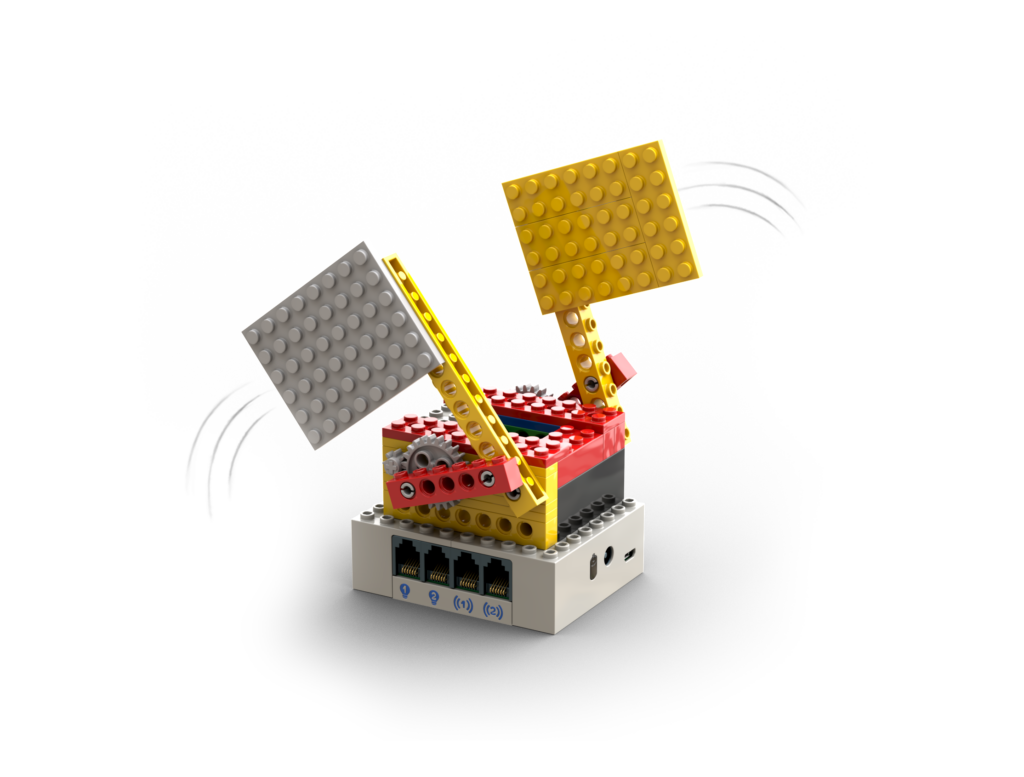
- Lesson’s Model: Inform the students about the robot they will build – the Waving Flag robot.
- Robot:
- Ask the students if they can describe the term Robot:
Answer: a machine resembling a human being and able to replicate specific useful actions (like movements) automatically. - Ask the students how can they tell the robot what actions to take?
Answer: by giving it Commands. - What is a Command?
Answer: Command is an order that we send to the robot. For example, move, turn on a light, or play a song we like.
Many of the Commands have Arguments. - Arguments are the details of a Command. Ask the children what can be the arguments of a move Command?
Answer: direction, for what distance, at what speed, etc.
Ask the same regarding sound:
Answer: which sound to play, and on what volume.
- Ask the students if they can describe the term Robot:
- Algobrix System:
- Show the Robot Components, and define for each one of them if they are input or output:
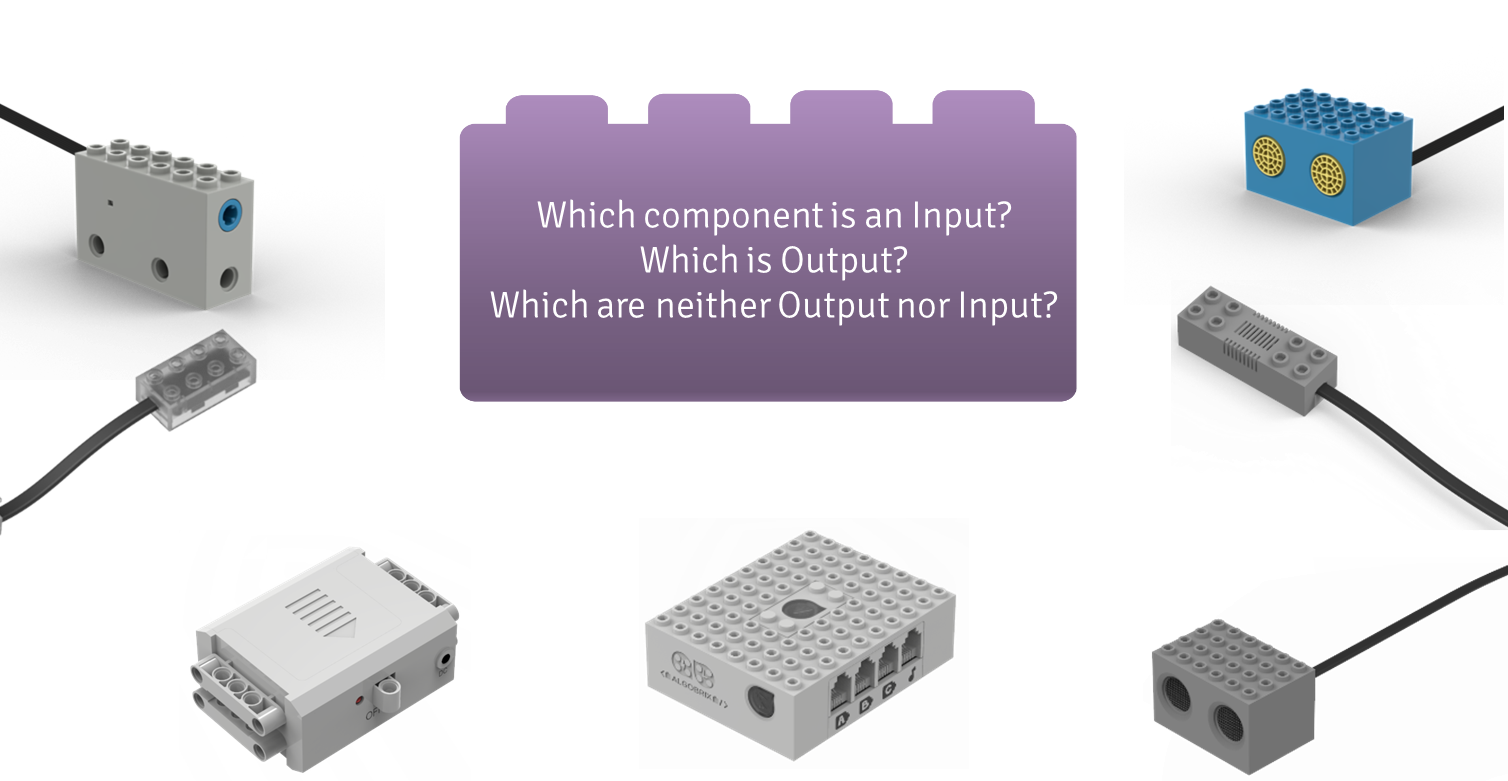
Answer: Motor, Light, and Sound Players are all output. Sound Sensor and Distance Sensor are input, since they read the information from the environment. - Commands:
Explain what is a Command, what is a Function Block, and what is a Parameter Block: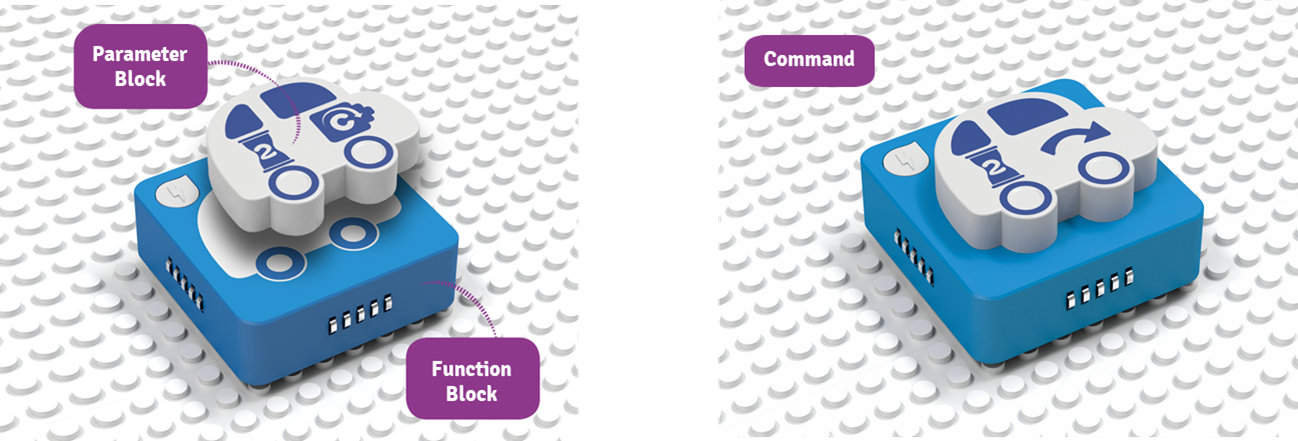
Ask the students where the arguments are?
Answer: on top of the Parameter Block. - Show the Play Block, and its relation with the Command. Explain that the Command can be positioned on any of the four sides that the Play Block or the Function Block has.

- Show the Robot Components, and define for each one of them if they are input or output:
- Hand over the building instructions.
- Building.
- Show the students which port to connect the Motor, and which code to use to operate the model:
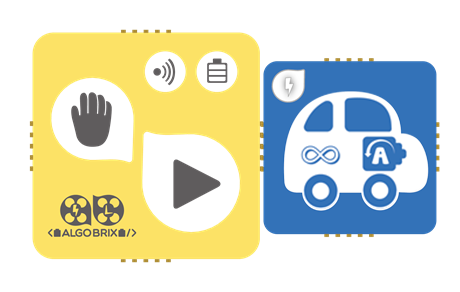
- Code.
- Playtime.
- Upgrade.
- Model dismantling and set arrangements.
- Summarize.
Upgrades
- Change the appearance of the flags.
- Make the flags higher.
- Add more flags.
Lesson Summary
- Ask the students to describe the term Command.
- Ask the students to provide you with an example for Command Arguments.
- Tell them about the robot they will build in the next lesson.
Notes
- In order to not overwhelm the students, it is recommended to show them the code they need to implement in the model, without providing them the Functions and Parameters organizers.
